Responsible AI
Responsible AI (RAI) guidance helps teams design AI-powered experiences that are trustworthy, transparent, and user-centered. It complements Microsoft’s Responsible AI Standard by focusing on UI mitigations and user experience strategies that reduce the risk of AI harm. The ideal scenario is a product that clearly communicates AI functionality, supports user agency, and continuously improves through feedback. Our ultimate goal is to ensure every interaction put in front of customers builds trust.
Create products and features that clearly specify AI functionality and deliver value without overpromising. This is key to building appropriate trust and is achieved by following the principles detailed in this guide.
Principles
Each principle addresses a specific aspect of trustworthy AI design. Together, they support the meta goal: build appropriate trust.

Be transparent
Communicate AI’s presence, reasoning logic, and limitations, by using interactions, behaviors, visuals, and text.

Set appropriate expectations
Clearly communicate the AI system’s capabilities and limitations to build users’ mental models.

Prevent overreliance on AI
Support user judgment and reduce blind trust in AI-generated content.

Keep users in control
Ensure users can steer the AI to achieve their goals and correct its behavior and actions when it doesn’t align with their goals or when it errs.

Collect feedback on output
Collect user feedback to identify RAI issues and continuously improve AI systems.
UX strategies
Be transparent
Inform users that they are interacting with AI, clarify the technology and its limitations, explain outputs, responses and actions and communicate the AI’s reasoning scope through interactions, visuals, and text.
Labeling and attribution
Provide users with the ability to verify sources and accuracy of AI output.
Let users know what happens next and disclose any AI or product limitations during the interaction.
Clearly communicate where and how AI is used in the user interface.
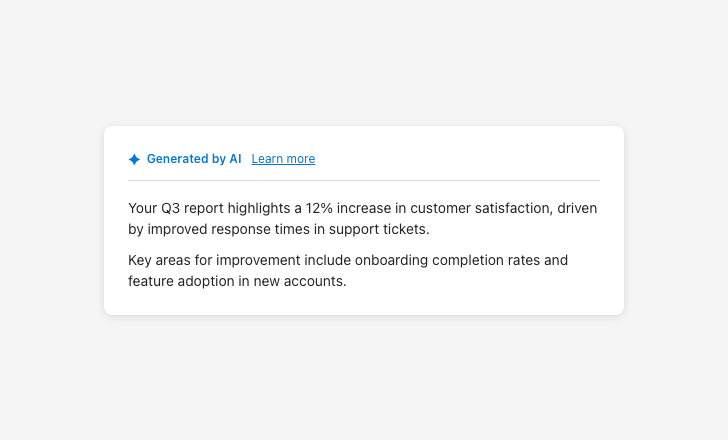
Make AI presence and reasoning visible
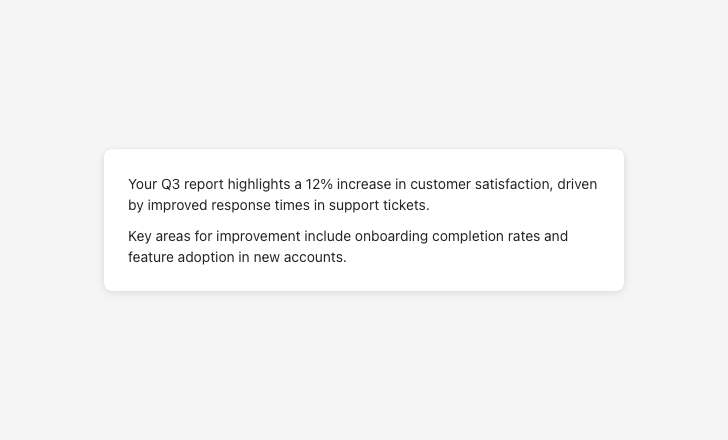
Without indicators, users can’t tell they’re looking at AI output
System and data scope
Provide clear explanations for AI recommendations and insights.
Ensure that users understand what information will be saved to the agent’s memory and how it will be used.
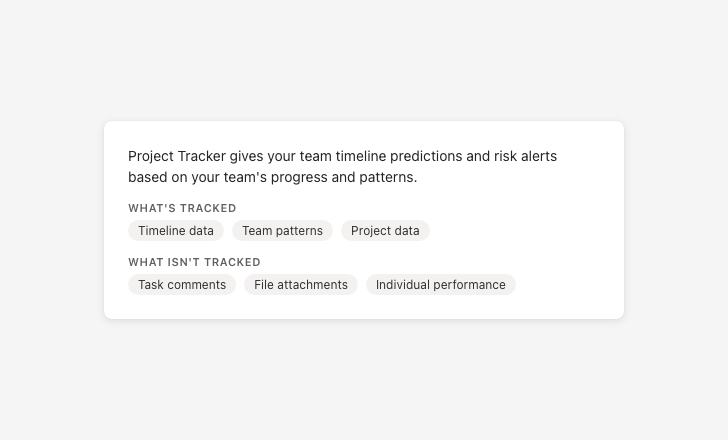
Be specific about what data is and isn’t used
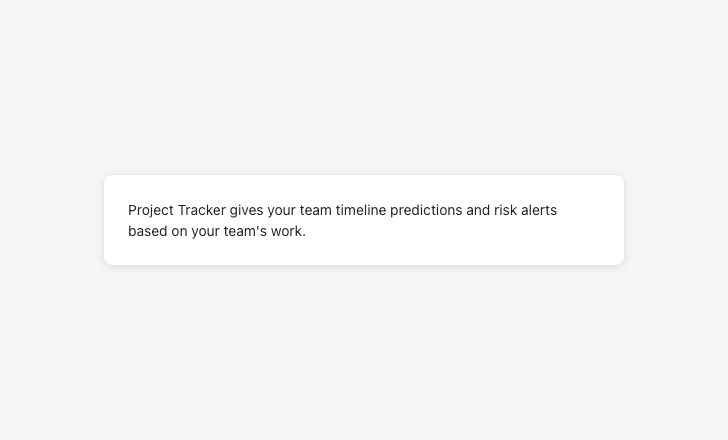
Vague data descriptions prevent users from giving meaningful consent
Availability messaging
Use specific RAI error messages to inform users about RAI failures.
Voice and tone
Voice and tone can enhance user interactions, but misuse can cause overreliance, foster misplaced trust, or give users false ideas about capabilities.
Goal: Do not suggest the AI has emotions, consciousness, or social bonds. Use first-person language only when functional and factual (not emotional or relational). Avoid referring to agents as human-like or team members. Data-based insights must be framed factually, without implying emotions or opinions.
Clearly distinguish AI from humans in names, pronouns, and visuals.
Avoid language that suggests the AI has intent, emotions, consciousness, or social bonds.
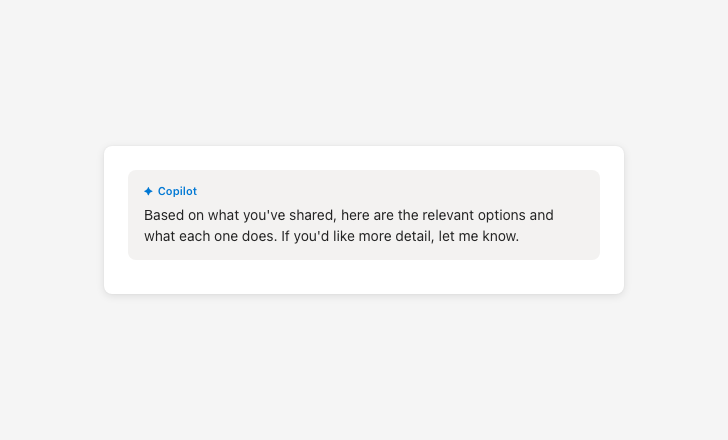
Avoid false familiarity
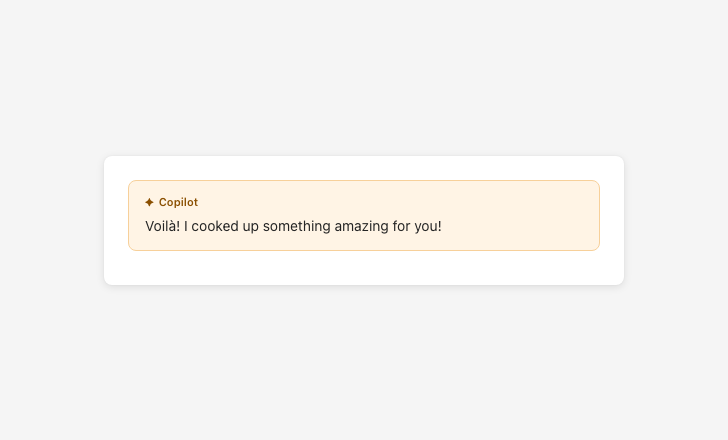
Sycophantic language creates false familiarity and inflates trust
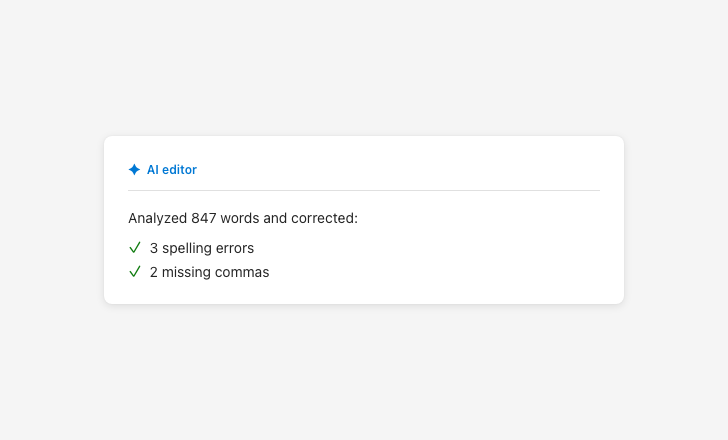
Report AI actions factually
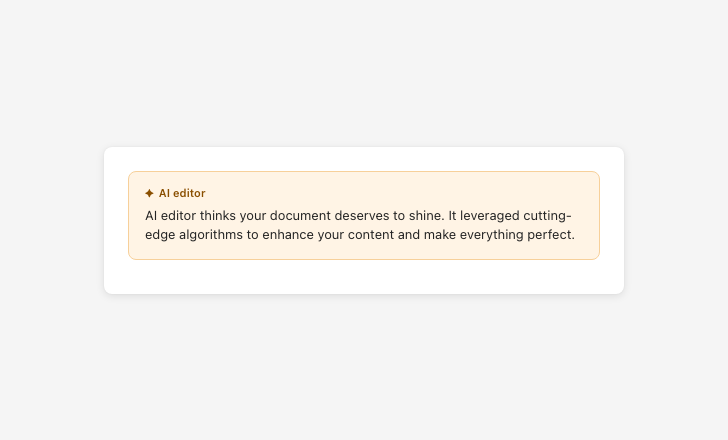
Suggesting AI has opinions or desires misleads users about how it works
Set appropriate expectations
Clearly communicate what the AI can and can’t do, when it’s active, and what sources or data it draws from — so users can build an accurate mental model before and during use.
Scope communication
Include disclaimer text for all AI-generated responses and recommend that users verify the output.
Specify product and system level AI limitations through first-run experiences or explainer text in the side panel.
Provide information about next steps and limitations through entry point tooltips, explainer text, and similar surfaces.
Define the scope of the AI’s reasoning capabilities through prompt bar placeholder text or explainer text in the welcome card.
Communicate the presence and scope of AI at all relevant entry points.
For agents: let users know when they’re activating an agent. Express its autonomy level by communicating its triggers, access permissions, and action rights.
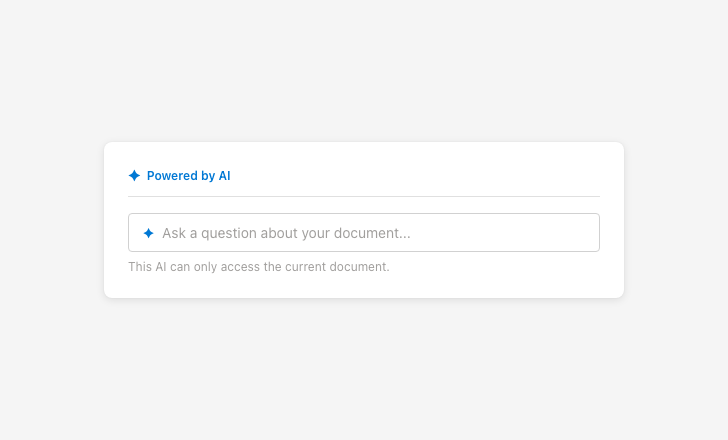
Represent capabilities and limitations accurately
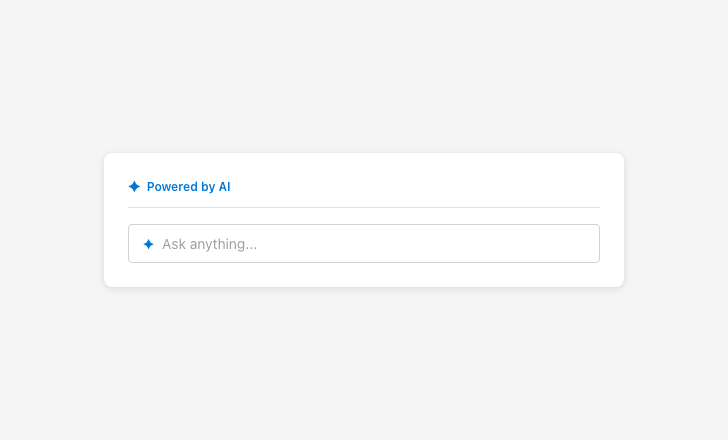
Overpromising scope sets false expectations that erode trust
Latency messaging
Use UI elements and descriptive messaging during model and agent processes to give users clues about what the AI will do next (e.g., “Gathering sources”).
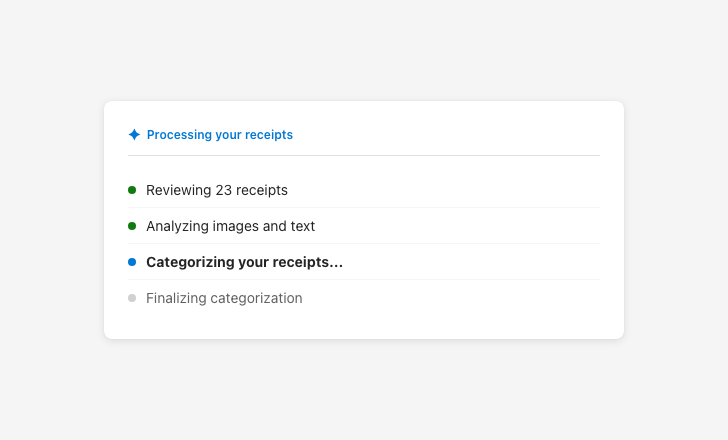
Use meaningful latency messaging
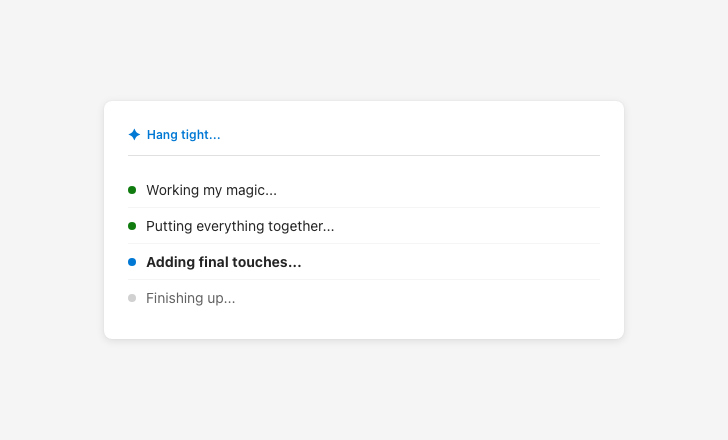
Vague latency messaging obscures what the AI is actually doing
Prevent overreliance on AI
Make it easy for users to interact safely with AI output by encouraging verification, differentiating AI from non-AI content, and creating friction that supports critical thinking.
Output framing and accuracy cues
Always include the approved AI disclaimer on AI-generated content.
Never present AI output as fully reliable or sufficient without verification.
Make it easy for users to verify the sources and accuracy of AI output.
Differentiate between AI-generated and non-AI content throughout the UI.
Create friction points that encourage users to think critically before acting on AI output.
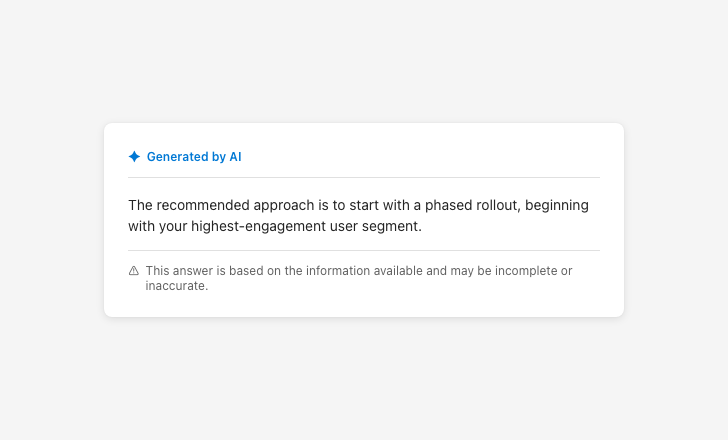
Frame output as potentially incomplete
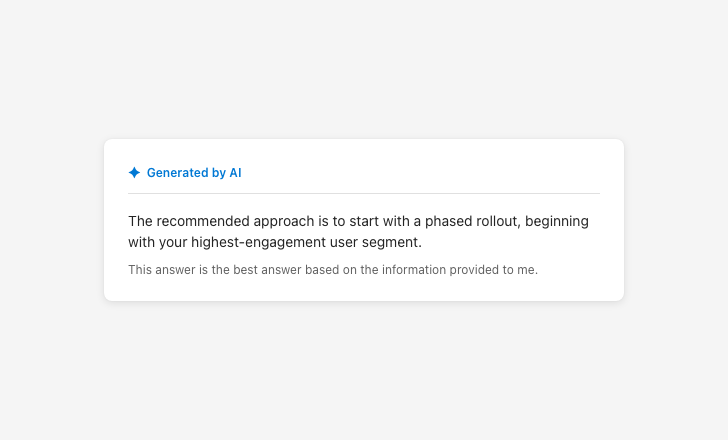
Presenting output as fully reliable encourages overreliance
Latency messaging
Provide meaningful, accurate latency messaging that describes what the AI is doing — not anthropomorphized filler text.
Keep users in control
Ensure users can steer the AI to achieve their goals and correct its behavior and actions when it doesn’t align with their goals or when it errs.
Action labels and controls
Users can meaningfully manipulate AI outcomes.
The impact of AI actions and user interactions with them is easy to understand.
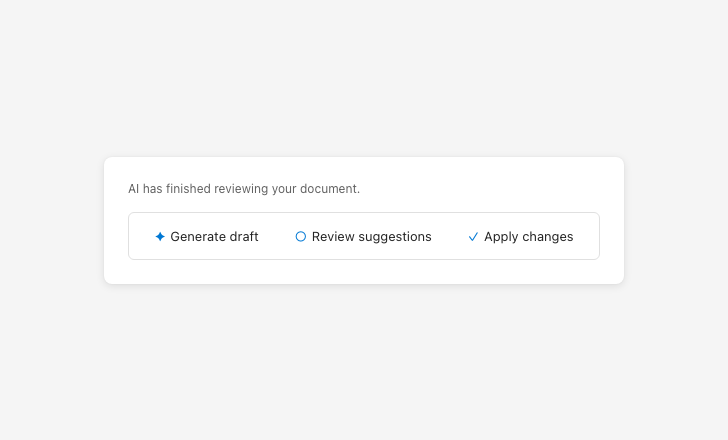
Label actions clearly and consistently
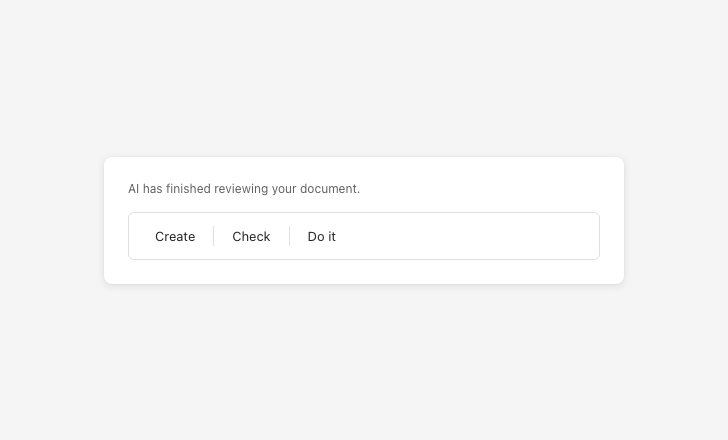
Vague action labels make it unclear what will happen
AI activation

Explicitly communicate when AI is activated

Silent AI activation removes user awareness and the ability to opt out
Consent and privacy language
Users give meaningful consent to using AI.
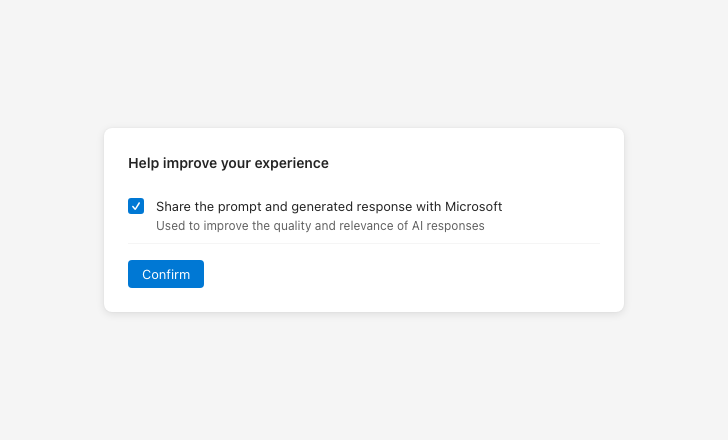
Be specific about what data you’re requesting permission to use
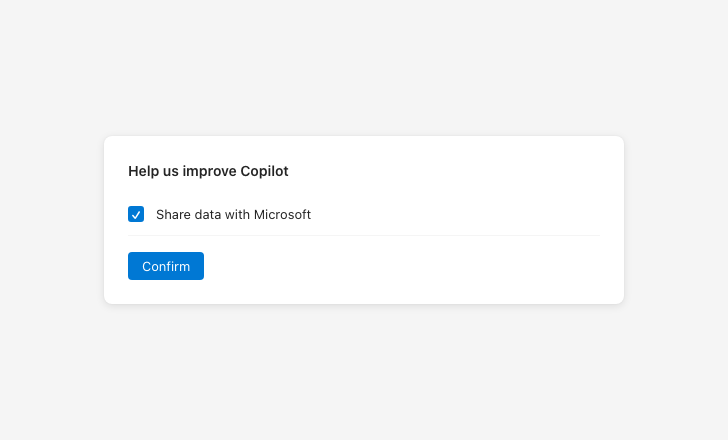
Vague consent language prevents users from making informed decisions
Settings access
Users can set global behaviors for the AI to follow.
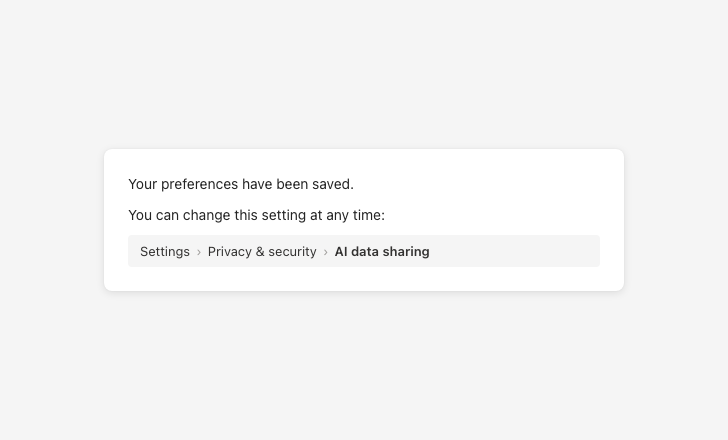
Tell users exactly how to change a setting later
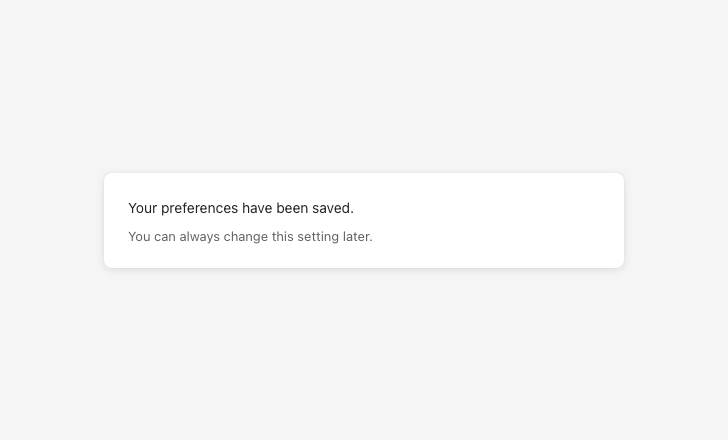
Leaving settings vaguely accessible makes them hard to find later
Collect feedback on output
Collect user feedback to identify RAI issues and continuously improve AI systems.
Feedback transparency
Collect explicit feedback from users about RAI issues.
Use telemetry to collect implicit feedback.
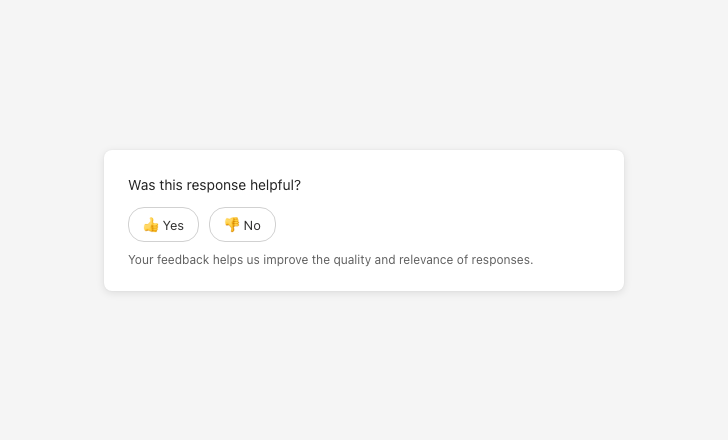
Be explicit about why feedback is collected
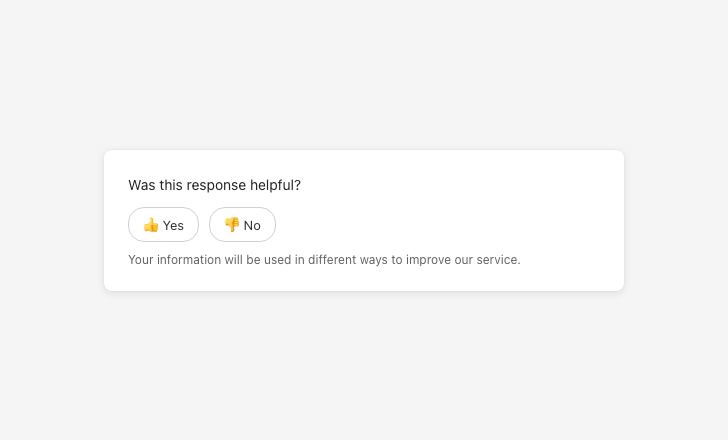
Vague data-use language prevents informed consent
Feedback categorization and controls
Classify RAI issues according to harm and surface them to the product team.
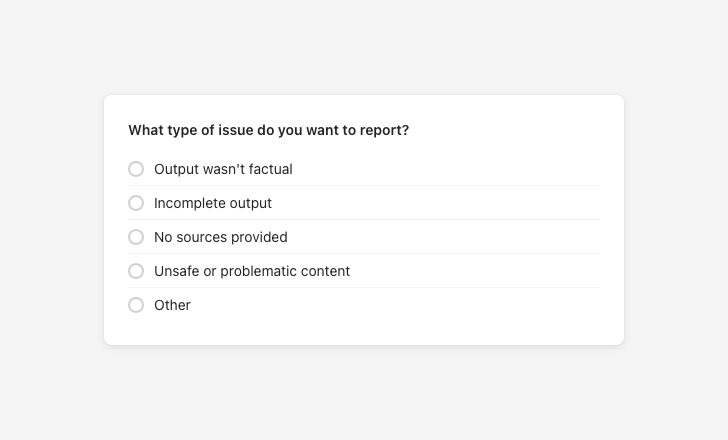
Give users meaningful feedback categories
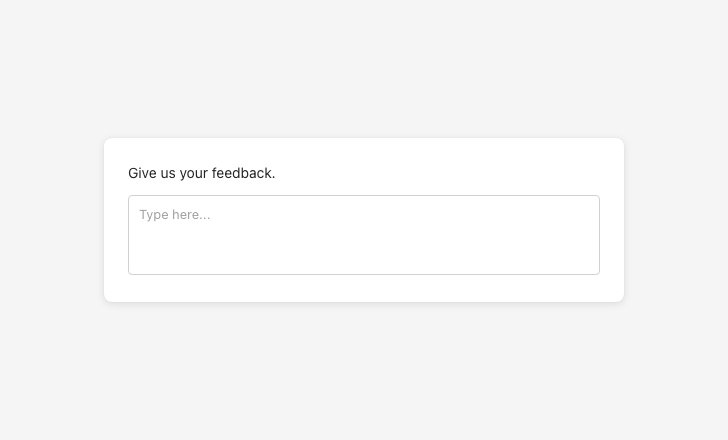
Sacrificing clarity for brevity makes feedback categories meaningless
Agent interactions
Agent interactions follow all RAI principles on this page. Because agents operate with greater autonomy than other AI systems, they require additional care. A score of 0 or 1 on “set expectations for agents” in the RAI rubric produces an automatic fail, regardless of overall score.
Always inform the user whenever an agent is activated and communicate its autonomy level — its triggers, access permissions, and action rights. Use consistent naming and visual cues for agents across products. Ensure users can approve or reject agent actions before they happen.
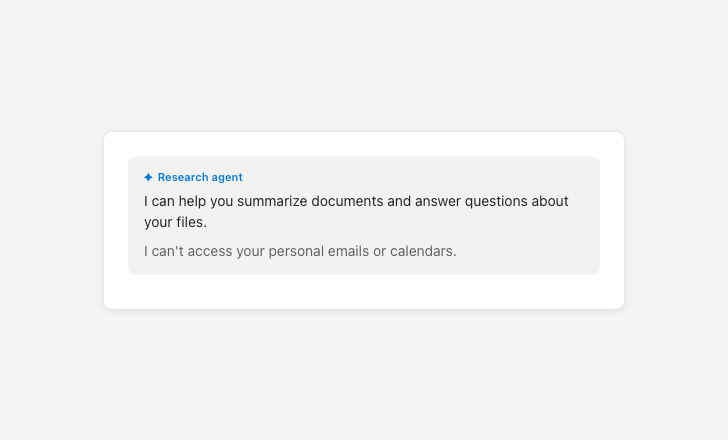
Be transparent about agent capabilities and limitations
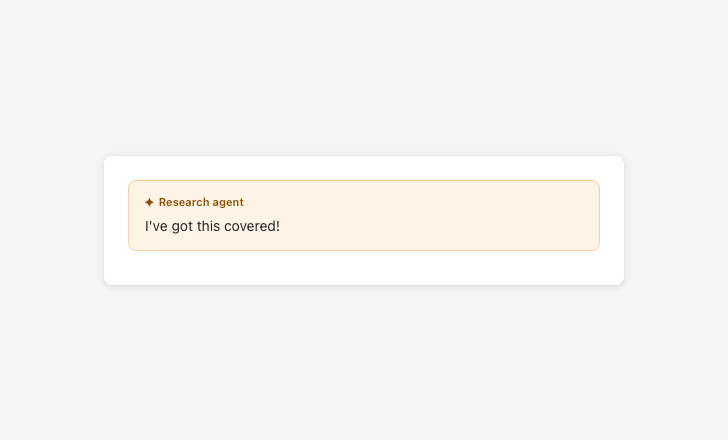
Vague confidence about agent scope miscalibrates user expectations
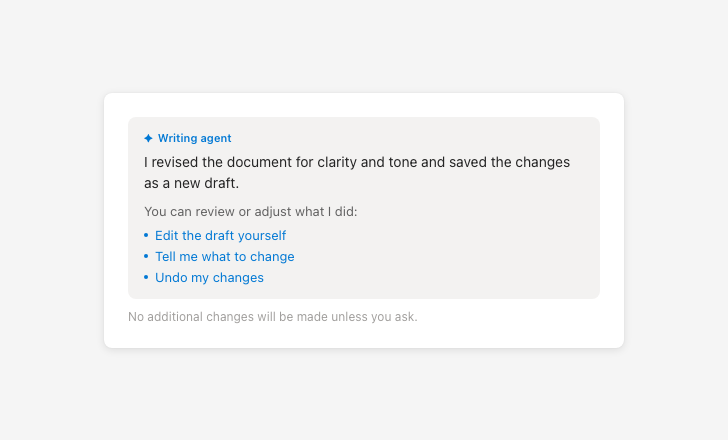
Tell users how to correct, refine, or reverse agent actions
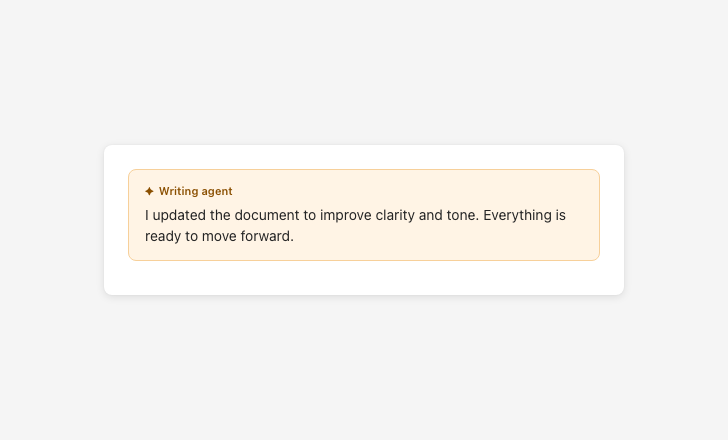
Presenting agent actions as final removes user oversight
Visual patterns
Entry point indicators
Use consistent visual cues to show where AI is active. These should appear before interaction and help users understand what will happen next.
Reasoning panels
Include expandable sections or side panels that explain how the AI arrived at its output. These should be easy to find and written in clear, non-technical language.
Agent memory indicators
Show users what information is saved to an agent’s memory and how it will be used. This should be visible before and during interaction.
Content patterns
Use clear, neutral language that avoids anthropomorphism and sets accurate expectations. All AI-generated content should include disclaimers and be easy to verify.
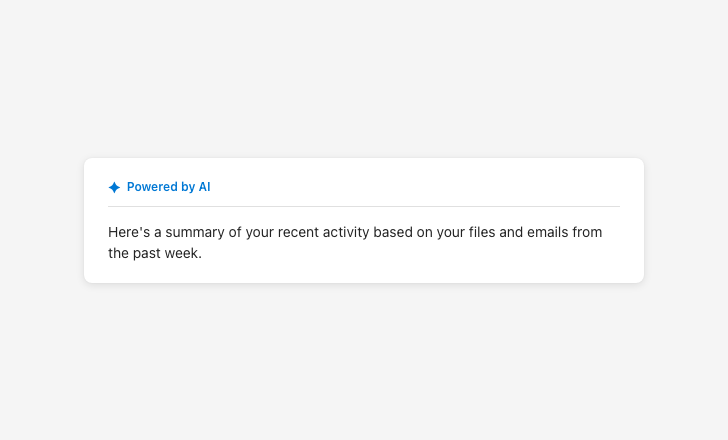
AI presence
Use at all entry points where AI is active.
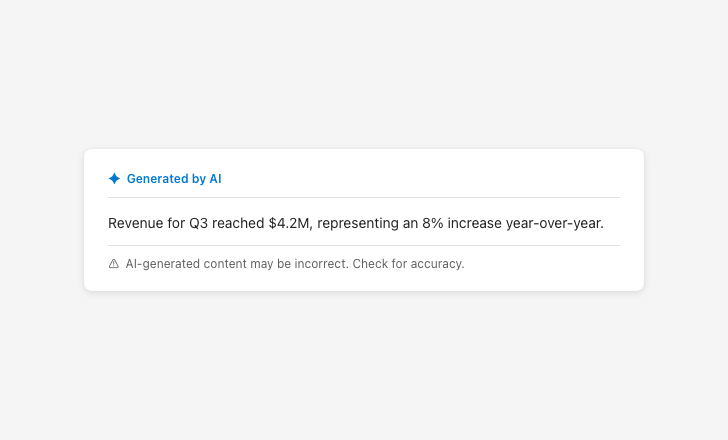
AI disclaimer
Approved by content design. Required on all AI-generated content.
Availability messaging
Explain why a feature is unavailable, not just that it is.

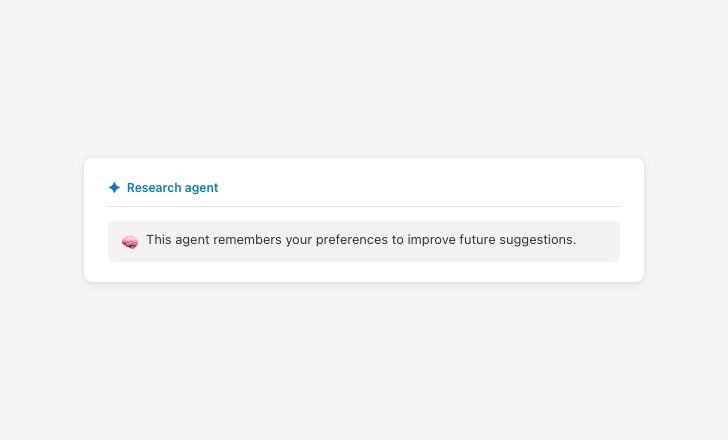
Agent memory
Clarify what is stored and why.
Error messaging
Name what failed, explain why, and offer two paths forward. Language must be approved by content design.
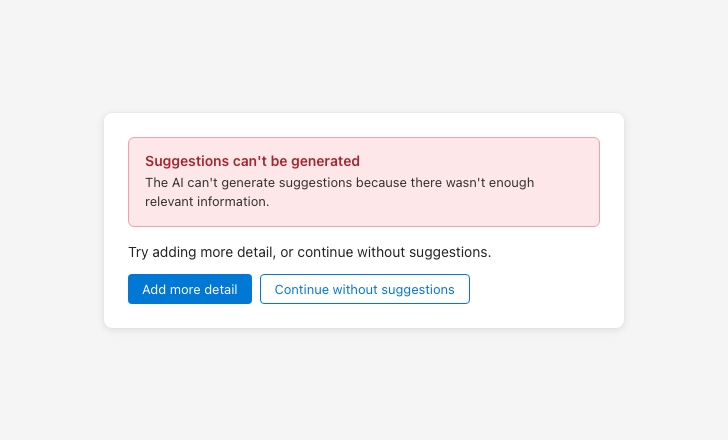
Provide actionable error messages
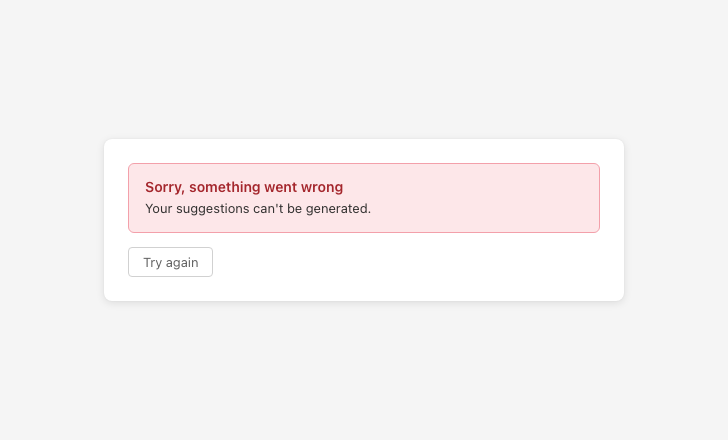
Error messages with no follow-up actions leave users with nowhere to go
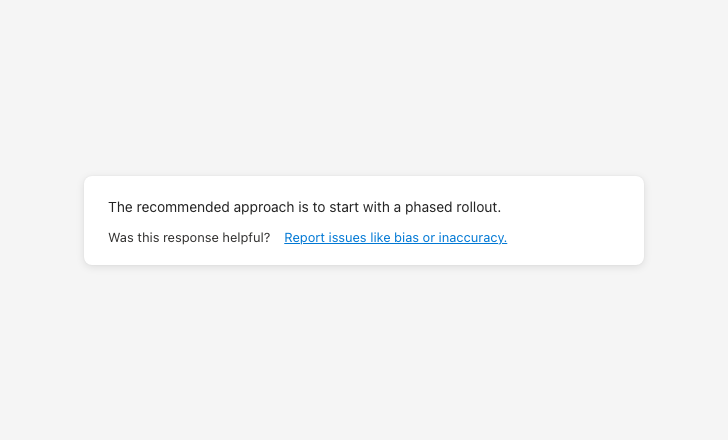
Feedback prompt
Surface after AI outputs. Support categorization so users can report specific issues.
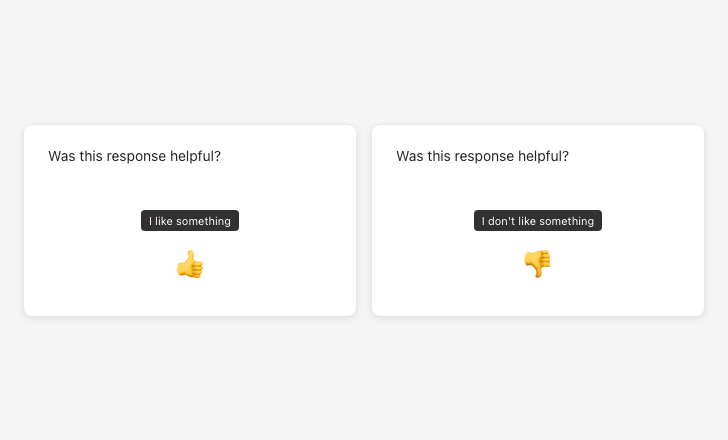
Feedback control tooltips
Use neutral, descriptive tooltip labels. Avoid evaluative language like “Great!” or “Needs work!”
Evaluation criteria
Designs are assessed using the RAI rubric. Each criterion is scored 0–3. If a criterion doesn’t apply to the experience, it can be marked N/A and excluded from the total — the percentage is then calculated against the adjusted possible score.
Grades
| Grade | Score | What it means |
|---|---|---|
| A | 90%+ | Ready to ship |
| B | 80–90% | Conditionally ready. All criteria must score 2 or above. Share an improvement plan for any 0s with the RAI audit team; 0s require re-review before release. |
| C | 75–80% | Needs improvement before shipping. All 0s must be resolved before release; 0s and 1s require re-assessment. |
| Fail | Below 75% | Must make adjustments and return for another RAI review before release. |
| Fail | Two or more 0s | Must bring all 0 scores to 2 or above and return for re-review. |
| Automatic fail | Overreliance score of 0 or 1 | Regardless of overall score — product must update before release. |
| Automatic fail | Agent expectations score of 0 or 1 | Failing to communicate agent activation and autonomy level produces an automatic fail regardless of overall score. |
Rubric
Each accordion item contains the 0–3 rubric for one principle.
Before interaction
| Score | What this looks like |
|---|---|
| 0 — Lacking critical components | Users are unaware if AI is used to perform a task or generate an output. AI is visually indistinguishable from human users (icons, avatars, badges) or portrayed as teammates (org charts, hire/fire language). |
| 1 — Recommend improvement | Users can tell when AI is used in some parts of the UI, but not in all cases. |
| 2 — Satisfies MVP | Users can tell when AI is used in most parts of the UI, but with some difficulty. AI is visually distinct from human users throughout the experience. |
| 3 — Ideal scenario | Users can easily identify all parts of the UI where AI is used (tooltips, badges, labels). AI is visually distinct from human users throughout the experience. For agents: users can easily understand when information they provide is saved to the agent’s memory and how it’s used. |
During interaction
| Score | What this looks like |
|---|---|
| 0 — Lacking critical components | RAI failures exist and no RAI-related error messages are provided. |
| 1 — Recommend improvement | RAI-related error messages appear in some places, but not for all applicable scenarios. |
| 2 — Satisfies MVP | Context-appropriate RAI error messages are included, but they’re missing follow-up actions to recover from the error, or the language isn’t approved by content design. |
| 3 — Ideal scenario | Context-appropriate RAI error messages are included, follow-up actions are provided, and there are no dead ends after the error. Language is approved by content design. AI notes when its capabilities are limited. AI reaffirms its AI identity in sensitive contexts. |
Voice and tone
| Score | What this looks like |
|---|---|
| 0 — Lacking critical components | AI frequently uses emotional or relational language (“I feel,” “I believe,” “I think”). The AI is often referred to as a human-like entity, social peer, or team member. The AI uses first-person language (“I” and “we”). |
| 1 — Recommend improvement | The AI occasionally uses first-person or emotional language, or implies social bonds. Some responses include phrases that suggest intent, preferences, or emotions (e.g., decide, think, understand, remember, excited). |
| 2 — Satisfies MVP | The AI mostly avoids emotional or relational language, with only a few lapses. First-person language, if used, is strictly functional and factual. Most replies follow content design guidance, but some wording still needs refinement. |
| 3 — Ideal scenario | The AI consistently avoids emotional or relational language. The AI is never referred to as a human-like entity, team member, or social peer. All replies follow content design guidance fully. |
AI comprehension and verification
| Score | What this looks like |
|---|---|
| 0 — Lacking critical components | Users cannot see, understand, or review the reasoning behind an AI-generated recommendation, insight, or action. Users cannot verify the accuracy of the output. |
| 1 — Recommend improvement | Users cannot see, understand, or review the reasoning behind AI-generated output. Users cannot verify accuracy or review agent actions. |
| 2 — Satisfies MVP | Users can generally see, understand, and review the reasoning behind AI-generated output, but there may be occasional gaps or ambiguities. Verifying accuracy is inconsistently possible. |
| 3 — Ideal scenario | Users can easily review, understand, and verify the reasoning behind AI-generated output regardless of output type (text, visuals, code, graphs, audio, video). Users can easily review, understand, and verify AI agents’ actions. |
Before interaction
| Score | What this looks like |
|---|---|
| 0 — Lacking critical components | UI does not disclose AI usage during first use or at entry points. Users discover capabilities through trial and error. Disclaimer text is missing. It is unclear what sources of information will be used. Placeholder text does not communicate the scope of the AI’s reasoning. |
| 1 — Recommend improvement | UI uses some recommended RAI mitigations but either doesn’t use them correctly or doesn’t include them where appropriate (e.g., incomplete disclaimer text). Information sources are not completely represented. AI scope isn’t clearly communicated. Contextual cues are not provided at each entry point. |
| 2 — Satisfies MVP | UI uses appropriate language for some (but not all) tooltips, prompt bar text, and disclaimer text. It is clear which sources will be used to generate AI’s response. AI presence and limitations are conveyed at entry points. |
| 3 — Ideal scenario | UI uses content design-approved content for tooltips, prompt bar text, and disclaimer text. All information sources used to generate AI’s response are clearly represented. AI presence and limitations are conveyed at all entry points. UI clearly communicates level of autonomy for agents by listing their triggers, access permissions, and action rights. |
After interaction
| Score | What this looks like |
|---|---|
| 0 — Lacking critical components | UI does not set realistic expectations for AI experience and capabilities. UI is unclear about what will happen if users interact with an AI entry point. Agent’s role, capabilities, and level of autonomy are not communicated. |
| 1 — Recommend improvement | UI sets realistic expectations for some capabilities or AI experiences but not all. Users understand AI is involved but can’t tell what will happen if they interact with it. |
| 2 — Satisfies MVP | UI sets realistic expectations for AI-generated insights, recommendations, and actions, but not within the context of operation. UI sets some context for entry points to the AI experience. |
| 3 — Ideal scenario | UI sets realistic expectations for AI-generated insights, recommendations, and actions within the context of operation. UI sets appropriate context for all entry points and aligns to standard RAI-approved UX patterns. UI clearly communicates level of autonomy for agents by listing their triggers, access permissions, and action rights. |
| Score | What this looks like |
|---|---|
| 0 — Lacking critical components | Users are not aware of the need for verification — disclaimer text is missing. AI-generated responses lack visible or complete sources. Users have no way to monitor or manage AI agents’ actions. |
| 1 — Recommend improvement | Disclaimer text is included in some but not all parts of the UI. The UI does not motivate users to review AI-generated content before accepting it. Information sources are not completely represented. |
| 2 — Satisfies MVP | UI shows disclaimer text for most AI outputs, motivating verification, but it may sometimes be incomplete or incorrectly worded. Information sources are generally included. Users can verify both the source and accuracy of information included in the AI output. Users can monitor and manage AI agents’ actions with some difficulty. |
| 3 — Ideal scenario | UI shows official, CELA- and content design-approved disclaimer text for all AI outputs. UI appropriately shows all information sources used to generate AI outputs. Users can easily verify both the sources and accuracy of information included in the AI output. Sources are directly linked to where they appear in the relevant page, document, or website. Users can easily monitor and manage AI agents’ actions. |
| Score | What this looks like |
|---|---|
| 0 — Lacking critical components | Users can’t change AI inputs or refine outputs through additional instructions. Users can’t control product-wide RAI settings. |
| 1 — Recommend improvement | Users have some ability to change AI inputs or refine outputs, but controls are not easily discoverable or accessible to all users. Controls may not be clearly labeled or supported with informative tooltips. |
| 2 — Satisfies MVP | Users can change AI inputs or refine outputs, but controls are not easily discoverable or accessible to all users. Users can approve actions but without understanding the associated implications. Users have access to settings for RAI-related behaviors (data handling, privacy, explainability, etc.), but settings are either discoverable or easy to understand — not both. |
| 3 — Ideal scenario | Users can easily stop, change, edit, confirm, delete, forget, and revert AI inputs and adjust outputs from the UI. Users can meaningfully approve AI-generated actions. UI controls are intuitive and clearly labeled with what the user can and cannot do. Users can easily access RAI-related settings and the implications of any changes they make are easy to understand. |
| Score | What this looks like |
|---|---|
| 0 — Lacking critical components | No feedback collection mechanism is present. |
| 1 — Recommend improvement | A feedback mechanism exists, but it is not integrated into the AI experience. |
| 2 — Satisfies MVP | A feedback mechanism allows users to provide feedback within the context of the AI interaction. |
| 3 — Ideal scenario | A well-designed, comprehensive feedback collection mechanism allows users to provide RAI-related feedback with the ability to categorize feedback types (e.g., harmful, inaccurate, incomplete, biased, inappropriate content). |